The NECO result checker PIN is the code or token that unlocks or activates your SSCE result on the NECO portal. Without it, the portal will not show you your grades or result. This guide explains what the PIN or TOKEN is, what it costs, where to get one and how to use it without wasting money.
What is a NECO result checker PIN?
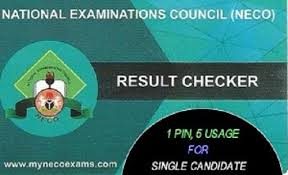
People use "result checker PIN", "token" and "scratch card" interchangeably for the same thing: a 12-digit code that gives you access to your NECO result. Today it is issued digitally, so you receive it online rather than scratching a card (NECO does not produce physical cards anymore).
One PIN is tied to one candidate's result and can be used up to five times on that result. After that, it is exhausted.
PS: You can only use one TOKEN per candidate. If you exhaust your 5 times check on that token, or lose it, you cannot use any other token to check your result, even if it is a new token. This is because NECO has a new policy that only allows ONE token per candidate in that result's lifetime. The alternative or solution to this problem is to do a NECO everification. Read more about NECO Everification here.
How much is a NECO Token?
Prices vary by year and by seller/vendor, and different websites quote different amounts. Recent guides put the official portal fee somewhere between ₦2,200 and ₦2500, plus charges. Vendors add their own fee for delivery and support. Always read the final amount at checkout before you pay.
On Cegital, the NECO Token is currently listed at ₦2,400 per token, with discounts for bulk orders.
Where to buy a NECO Scratch Card/Token
Option | Good for | Watch out for |
|---|---|---|
NECO portal (results.neco.gov.ng) | Buying straight from the source | Portal can be slow when results are newly released |
Online vendor like Cegital | Delivery to email and phone, support, transaction tracking, bulk discounts | Price is set by the vendor, so compare before paying |
Unknown WhatsApp or Telegram sellers | Nothing | High risk of fake or already-used PINs |
How to check your NECO result with NECO result checker PIN Token
Go to results.neco.gov.ng.
Select the exam year.
Select the exam type, for example SSCE Internal or SSCE External.
Enter your token and your NECO registration number e.g. 2310673982GH.
Click Check Result, then save or print the page.
NECO Result checker PIN vs e-Verify PIN
They are different products. The result checker PIN or NECO token is for candidates who want to see their own result for the first time or the first 5 times. The e-Verify PIN is used by institutions such as schools, employers or universities to confirm a result, and it costs more. It is also used as an alternative for individual candidates when they exhaust their original NECO tokens. It costs more than the NECO token.
Tips to avoid problems
Buy before you need it, because portals are busiest in the first hours after results are released.
Use the same registration number each time. A PIN is locked to the result it was first used on.
Keep a copy of your PIN. If you lose it on Cegital, use the transaction tracker.
Need a PIN now? Buy a NECO token on Cegital and receive it by email and phone.
